



DOM

Published by
sanya sanya
DOM stands for Document Object Model. DOM is the collection of the attributes and tags of the HMTL. The concept of DOM can be understood with a simple example.
We're aware of the Tree Data Structure which starts from the root element and expands below having nodes as leaves and branches as connectivity.
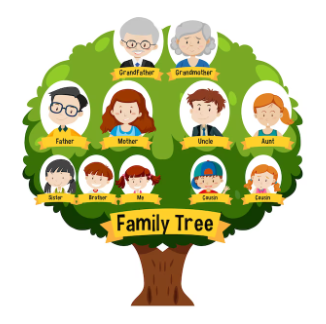
This can also be related to a family. For instance, Aman is married to Riya. Then, their children will have children, then they both will be parents. When their children, will have children, they both will be grandparents, and when race continues, they will be great-grandparents. This shows the tree-like structure mentioned in the image below -
The browser makes and provides a document which is known as an object by taking reference we can access the Hyper Text Markup Language in the browser.
Manipulating the DOM is the technique of interacting with the HTML Document to modify the content that will be displayed in the browser.
The submit event comes into action when the form is submitted. When we submit the form we don't see anything printed on the console because the browser clears the console due to a reload.
The Snake Game using HTML, CSS, and JavaScript is mentioned below for the viewport size of 1000px * 600px -
The first section of the code includes the HTML structure of the web page. It includes a head section which contains meta tags to define the character encoding, browser compatibility, and initial viewport scale of the page. The body section contains an H1 element with the text "Note taking app" and an input element of type "text" with the placeholder "Title". It also includes a button element with the id "add-button" and the text "Add", and an empty unordered list element with the id "list".
The Keyboard Events invokes when performing operations such as filling in the information, clicking, copying, pasting, cutting, and so on.
In the real world, for example, when writing the most common thing we all do is copy and paste the code in our IDE. When we copy and paste something to the clipboard, the keyboard events get invoked.
The Event Delegation is one of the most powerful Event handling pattern allowed us by the Bubbling and Capturing. To use Event Delegation, we just assign a single handler to the ancestor of the element rather than assigning to every part of the element.
Moving on to the JavaScript of the Calculator code, the uppermost two lines selects all the HTML button elements and input on the page and stores them in a variable.
Bubbling refers to the event propagation mechanism where an event is first handled by the innermost element and then propagated outward to its parent elements in the document tree until it reaches the outermost element, like the body or the document object.
The User Interface events occurs when the user click a button or do any particular task. Moreover, the Mouse Events do not only invoke through the mouse but also invokes through finger touch in phones and Tablets.
Library
WEB DEVELOPMENT
Basic
HTML - Hyper Text Markup Language
CSS - Cascading Style Sheets
JavaScript
An Introduction to Javascript!
How to Run JavaScript Code
Variables in Javascript
Numbers in JavaScript
JavaScript Operators
Data Types in JavaScript
Conditional Statements
Switch Statements
Loops in Javascript
Arrays in JavaScript
Strings in JavaScript
Objects in JavaScript
Object Methods in JavaScript
Functions in JavaScript
Object Referencing and Copying in JavaScript
' this' keyword
Asynchronous Programming in JavaScript
Callbacks in JavaScript
Promises in JavaScript
Constructor Functions in JavaScript
Async and Await in JavaScript
Type Conversion in Javascript
DOM
Currying in JavaScript
Network Request
Frontend
Backend
Interview Questions
FAANG QUESTIONS