



Promises in JavaScript

Published by
sanya sanya
Suppose, a large crowd is gathered at Mannat (which is the name of Shahrukh Khan's House) to know about the release date of Jawan. It's been a long since the new film Shahrukh Khan was released. So, to make fans satisfied, Shahrukh promised to let the crowd know about the date when it was published via notification and asked the crowd to mention their contact credentials for the same.
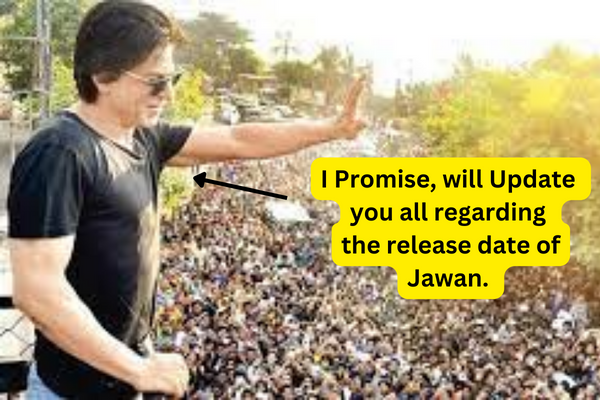
Similarly, he also promised that he will notify us even if the date got delayed. As per the concept of Promises -
- The "Producing Code" is the code which do something and took some time which in the case is "Shahrukh Khan".
- The "Consuming Code" is the code that wants the result of the "Producing Code" when its executed which are
People in crowdhere. - Promise in JavaScript links both
Producing CodeandConsuming Codeto give a favorable outcome. In Our example, it is thecredentialsprovided by Crowd.
Syntax of Promise
Promise in JavaScript is somewhat complex. Hence, the given example is not that much accurate. However, the syntax of Promises in JavaScript is mentioned below -
let promise = new Promise(function(resolve, reject){});
In the syntax, a function is passed to new Promise which is known as executor. On the creation of a new promise, the executor runs automatically. It also contains Producing Code which returns an output.
The arguments in the function are reject and resolve which are callbacks supported by javascript. The meaning of the callbacks is mentioned below -
- resolve - If the task is accomplished, result value.
- reject - If the task is not accomplished, error object
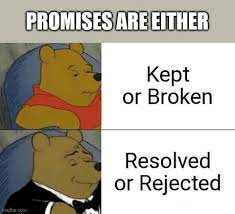 ## then Keyword
The `then()` method in Promise takes two arguments and chain calls to other promise methods.
## then Keyword
The `then()` method in Promise takes two arguments and chain calls to other promise methods.
Let's take an example of the code mentioned below -
let promise = new Promise(function(resolve, reject) { setTimeout(() => resolve("Executed..!"), 2000); }); promise.then( result => console.log(result) error => console.log(error) );
The first .then() will be executed when the promise is resolved successfully. The second .then() runs when the promise is rejected and an error is received.
In the case of the promise reject, nothing will be printed. Only Output will be printed when the promise gets resolved.
If the promise resolved is our priority, then we can just pass resolve as an argument.
catch keyword
If only errors are the priority, we can pass null as the primary argument. The code for catch Keyword is mentioned below -
let promise = new Promise((resolve, reject) => { setTimeout(() => reject(new Error("Error Arrived!")), 2000); }); promise.catch(alert);
//Output: Error Arrived alert after 2 seconds.
.catch() also act as a shorthand for the .then(null, f).
Finally
The finally in JavaScript Promises is the same as that of finally in Try and catch. The finally runs when the promise gets settled whether reject or resolve.
Finally, it comes to existence to finalize the promise after all the previous operations are executed.
The code showing the working of the finally keyword with Promised is mentioned below -
new Promise((resolve, reject) => { //Code }) .finally(() => stop loading function) .then(result => result, err => error)
##How to Consume a Promise Points that must be followed to consume a promise are mentioned below -
- Reference to the Promise - The primary task to consume a promise is to obtain a reference to the promise.
- Attaching Callbacks with the Promise - Once the reference is obtained, it can be attached to the Promise using the `.then()` and `.catch()` methods.
- Waiting for an execution - After attaching callbacks to the Promise, we can wait for the promise to be resolved or rejected.
Library
WEB DEVELOPMENT
Basic
HTML - Hyper Text Markup Language
CSS - Cascading Style Sheets
JavaScript
An Introduction to Javascript!
How to Run JavaScript Code
Variables in Javascript
Numbers in JavaScript
JavaScript Operators
Data Types in JavaScript
Conditional Statements
Switch Statements
Loops in Javascript
Arrays in JavaScript
Strings in JavaScript
Objects in JavaScript
Object Methods in JavaScript
Functions in JavaScript
Object Referencing and Copying in JavaScript
' this' keyword
Asynchronous Programming in JavaScript
Callbacks in JavaScript
Promises in JavaScript
Constructor Functions in JavaScript
Async and Await in JavaScript
Type Conversion in Javascript
DOM
Currying in JavaScript
Network Request
Frontend
Backend
Interview Questions
FAANG QUESTIONS
On this page
Syntax of Promise
catch keyword
Finally