



Data Types in JavaScript

Published by
sanya sanya
The Variables can have different values of data and the classification of data according to the variable is known as Data types.
This can be understood with the help of an example, for instance, various food items can be stored in the refrigerator. So we keep water in bottles, food in containers, vegetables in the vegetable basket, and so on.
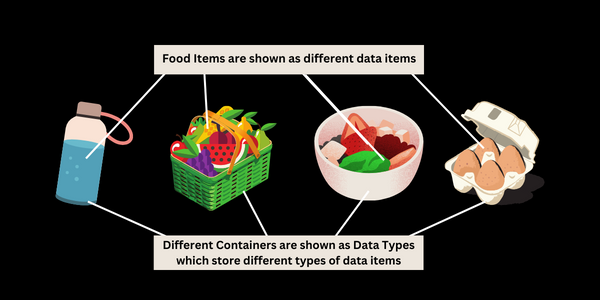
7 Data Types
There are seven Data Types available in Javascript and all are mentioned below -Number - When we store a numeric value in a data type, it is said to have a number data type. For instance:
let variable = 10;
String - The String Data type stores the sequence of characters or words in the variable. for example:
const str = "Hello";
Boolean - The Boolean Data Types return only "true" or "false". Similarly, 0 stands for false, and 1 stands for true. for example:
const bool = true;
BigInt - In Javascript, there is a certain limitation in which we can declare a value of an integer within a limit. The limit for the same is: (253-1) to - (253-1). If the value of an integer exceeds then we have to use BigInt for example:
const integ = 012345678901234567890n;
Undefined - This is a Data Type in javascript that is declared but a value is not assigned to that. for example:
var x; console.log(x);
Null - The null stands for "none-value". It represents the absence of a value. for example:
console.log(x)
Object - The object data type stores the data in the key-value pairs. Arrays in Javascript are of object types. for example:
var x = { name: "John", age: 30 }; console.log(x.name);
// Output: John
Most importantly, the value assigned to the same name after the first one will be considered. for instance;
var x = 10; x = 20; console.log(x) //Output: 20
However, when we use const, the value assigned to that variable will not be changed.
##Typeof Operator
The typeof operator is used to know what type the operand is. It is useful when we want to know the type of the operand. The usage of the typeof keyword is mentioned below -
typeof 0 // "number" typeof 10n // "bigint" typeof true // "boolean"
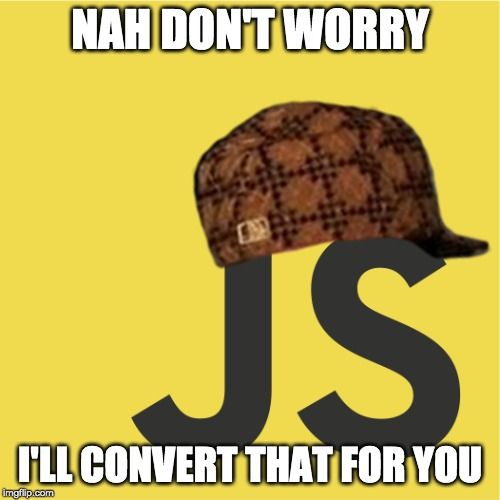
In this case, Javascript is like -
Library
WEB DEVELOPMENT
Basic
HTML - Hyper Text Markup Language
CSS - Cascading Style Sheets
JavaScript
An Introduction to Javascript!
How to Run JavaScript Code
Variables in Javascript
Numbers in JavaScript
JavaScript Operators
Data Types in JavaScript
Conditional Statements
Switch Statements
Loops in Javascript
Arrays in JavaScript
Strings in JavaScript
Objects in JavaScript
Object Methods in JavaScript
Functions in JavaScript
Object Referencing and Copying in JavaScript
' this' keyword
Asynchronous Programming in JavaScript
Callbacks in JavaScript
Promises in JavaScript
Constructor Functions in JavaScript
Async and Await in JavaScript
Type Conversion in Javascript
DOM
Currying in JavaScript
Network Request
Frontend
Backend
Interview Questions
FAANG QUESTIONS