



CSS Padding

Published by
sanya sanya
The CSS padding is a property that allows you to add space around the content inside an element. It defines the distance between the content and the element's border.
Padding can be applied to various HTML elements such as divs, paragraphs, headings, images, etc., and it helps control the layout and spacing of elements on a webpage.
The CSS padding property can be set using different units of measurement, including pixels (px), percentages (%), em, rem, and more.
The syntax for applying padding in CSS is mentioned below -
selector { padding: top right bottom left; }
Other Methods of Applying Padding
The padding property accepts up to four values, which represent the padding for the top, right, bottom, and left sides of the element, respectively.
Few examples of applying ppadding to the HTML tags, elements, or classes are mentioned below.
- Applying equal padding to all sides
- Applying vertical (top and bottom) and horizontal (left and right) padding
- Applying different padding values to each side
selector { padding: 10px; }
selector { padding: 10px 20px; }
selector { padding: 10px 20px 15px 5px; }
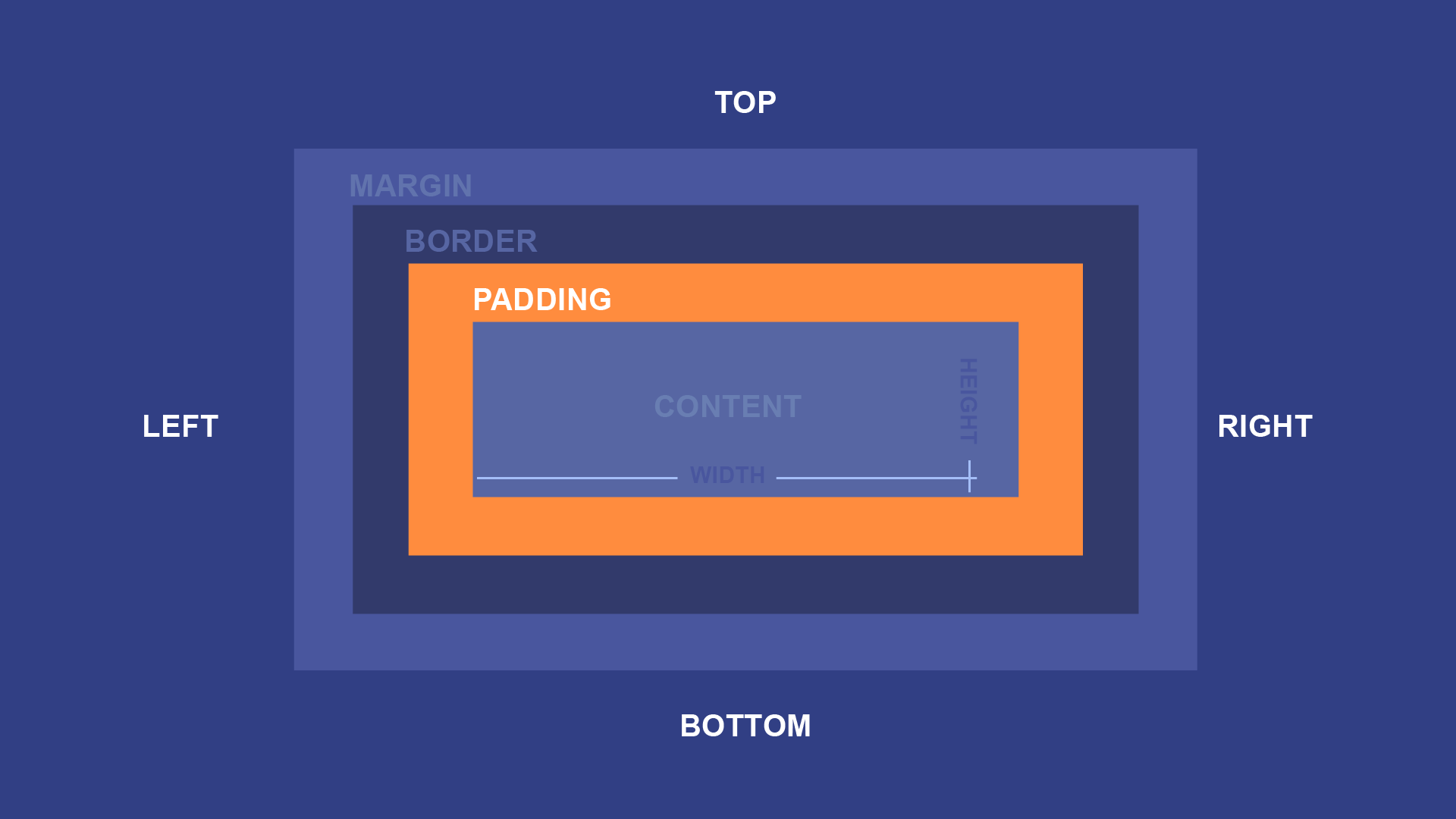 ## Padding: top, right, bottom, left
CSS padding also provides a shorthand notation for specifying padding on individual sides.
The code in CSS for applying Padding in all the mentioned directions is mentioned below -
- Setting padding for each side individually.
- Setting vertical and horizontal padding individually.
selector { padding-top: 10px; padding-right: 20px; padding-bottom: 15px; padding-left: 5px; }
selector { padding-top: 10px; padding-bottom: 10px; padding-left: 20px; padding-right: 20px; }
In addition to setting specific values for padding, you can also use the auto value to let the browser calculate the padding for a particular side based on the content and other factors.
Using auto value for padding:
selector { padding-top: 10px; padding-right: 20px; padding-bottom: auto; padding-left: 5px; }
The auto value will adjust the padding to accommodate the content dynamically.
It's worth noting that the padding adds to the total width and height of an element. So if you set a width or height for an element and add padding, the actual dimensions of the element will include the padding, which might affect the overall layout.
CSS padding is a versatile property that helps create spacing and breathing room around elements on a webpage. By using different units and values, you can control the precise spacing and achieve the desired visual layout for your content.
Library
WEB DEVELOPMENT
Basic
HTML - Hyper Text Markup Language
CSS - Cascading Style Sheets
Cascading Style Sheets (CSS)
Selectors and Combinators
CSS Transforms
Units
CSS Icons and Colors
CSS Borders
CSS Margin
CSS Padding
CSS Dimensions
CSS Box Model
CSS Background
Pseudo Classes in CSS
CSS Positions
CSS Flexbox
Responsiveness in CSS
CSS Transitions
CSS Animations
Other CSS Properties
Var()
CSS Frameworks
CSS Grids
CSS Display Properties
JavaScript
Frontend
Backend
Interview Questions
FAANG QUESTIONS
On this page
Other Methods of Applying Padding