



CSS Box Model

Published by
sanya sanya
The CSS box model is a fundamental concept that describes how elements are structured and displayed on a webpage. It consists of four main components: content, padding, border, and margin.
Each of these components contributes to the overall size and spacing of an element.
All the four components are discussed further in details.
Content
The content area is the innermost part of an element, where the actual content, such as text or images, is displayed.
The dimensions of the content area are defined by the width and height properties.
Padding
The Padding is the space between the content area and the element's border. It provides internal spacing and helps separate the content from the border.
Padding can be set using the padding property or individual properties like padding-top, padding-right, padding-bottom, and padding-left.
Border
The border surrounds the padding and content area and provides a visual boundary for the element.
It can be customized in terms of thickness, style, and color using the border property or individual properties like border-width, border-style, and border-color.
Margin
The margin is the space outside the element's border. It creates a gap between adjacent elements and helps control the overall spacing and layout of elements on a webpage.
Margin can be set using the margin property or individual properties like margin-top, margin-right, margin-bottom, and margin-left.
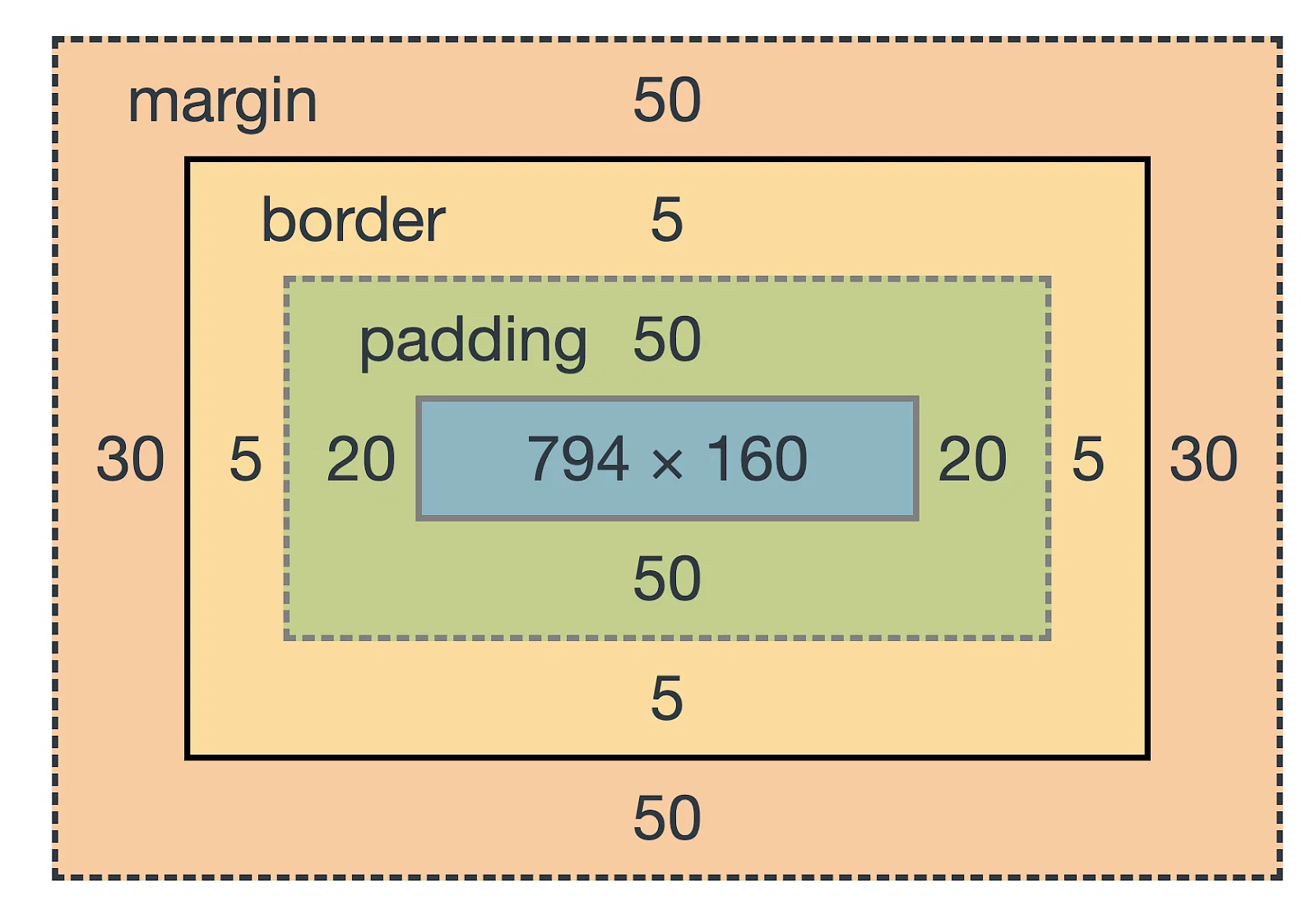
The total width and height of an element are calculated by adding up the content width/height, padding, and border. The margin does not contribute to the element's dimensions but affects the spacing between elements.
It's important to note that by default, the width and height properties only apply to the content area. If you want the width and height to include padding and border as well, you can use the box-sizing property with the value border-box.
.element { width: 200px; height: 150px; padding: 10px; border: 1px solid black; margin: 20px; box-sizing: border-box; }
In the example above, the total width and height of the element (including padding and border) will be 200px and 150px, respectively.
Library
WEB DEVELOPMENT
Basic
HTML - Hyper Text Markup Language
CSS - Cascading Style Sheets
Cascading Style Sheets (CSS)
Selectors and Combinators
CSS Transforms
Units
CSS Icons and Colors
CSS Borders
CSS Margin
CSS Padding
CSS Dimensions
CSS Box Model
CSS Background
Pseudo Classes in CSS
CSS Positions
CSS Flexbox
Responsiveness in CSS
CSS Transitions
CSS Animations
Other CSS Properties
Var()
CSS Frameworks
CSS Grids
CSS Display Properties
JavaScript
Frontend
Backend
Interview Questions
FAANG QUESTIONS
On this page
Content
Padding
Border
Margin