



Callbacks in JavaScript

Published by
sanya sanya
Callbacks in Javascript are the function that is passed as an argument to the other function such that it can be executed automatically after the execution of the function to which the callback is passed.
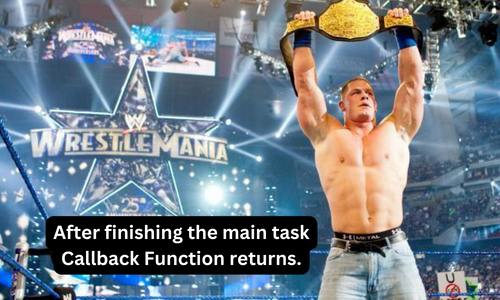
The concept of callbacks can be understood by a simple example, John Cena is the WWE Champion for years and now he has to defend the title at Wrestlemania. He wants a special celebration for being a champion. So a match is fixed to happen between John Cena and Batista. John Cena has told Vince that as soon as I Defeat Batista, I want all the pyros burst at once to which Vince McMohan Acknowledged.
The match happens and John Cena defeats Batista to retain his Championship. Soon, after the match finished, all the pyros starts to burst.
Similarly, in the example, John Cena demanding a special celebration would be considered as a callback which is passed with the main function that John Cena has to defeat Batista.
There are Various supported by Javascript that runs on asynchronous environment such as loadScript(), setTimeOut, and so on.
function loadScript(src) { loading and run when complete let script = document.createElement('script'); script.src = src; document.head.append(script); }
The code example will create a script tag and append it to the page which will cause the script with the given src to start.
Callback in Callback
We can sequentially load two scripts which means that the first one will be first, and the second after the first. The proper solution to this is to attach a loadScript call inside the callback. For instance,
loadScript('/my/script.js', function(script) { alert(
finally, the ${script.src} is loaded.); loadScript('/my/script2.js', function(script) { alert(Hurrah! Second one is also loaded.); }); });
In the upper example, the first call will be executed first and the second one will be executed after the first one.
Need of Callback Function
Javascript is an Asynchronous Programming which means Javascript code runs in top to down order.
Callbacks make sure that the function will not execute before a task is completed and it will run only after the complete execution of the function.
We can create a callback by passing a callback to a function as mentioned in the code below -
const message = function() {
console.log("Callback"); } setTimeout(message, 2000);
//Output: The callback will be printed after 2 seconds
We can also implement callbacks with the arrow function which is mentioned below -
setTimeout(() => { console.log("Callback"); }, 2000);
Callback Hell / Pyramid of Doom
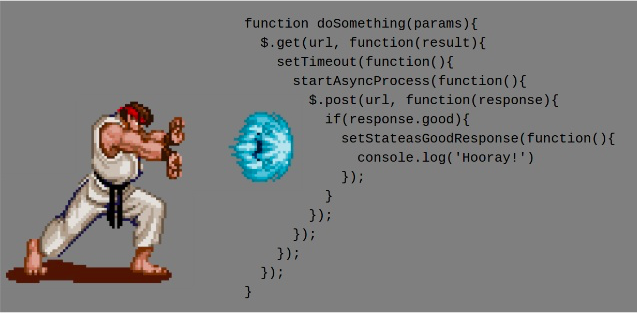
The Callback Hell or the Pyramid of Doom is the phenomenon that occurs when various callbacks got nested in a single program. It is known as the Pyramid of Doom because the resulting code looks like a pyramid.
This is considered bad practice because it makes the code hard to understand and maintain. It disrupts the readability of the code.
The concept of Callback Hell or the Pyramid of Doom can be understood using a simple example. Suppose, a person want to grab a thing that is four steps above him. To reach the fourth step, he has to climb three steps first.
Similarly, he will use callback step one, and then for the step second he will use the output of callback first. So they got hectic, even though the task will be accomplished but it will be very complex.
The code showing the callback hell or pyramid of Doom is mentioned below -
loadScript('1.js', function(error, script) { if (error) { handleError(error); } else { loadScript('2.js', function(error, script) { if (error) { handleError(error); } else { loadScript('3.js', function(error, script) { if (error) { handleError(error); } else { } }); } }); } });
Library
WEB DEVELOPMENT
Basic
HTML - Hyper Text Markup Language
CSS - Cascading Style Sheets
JavaScript
An Introduction to Javascript!
How to Run JavaScript Code
Variables in Javascript
Numbers in JavaScript
JavaScript Operators
Data Types in JavaScript
Conditional Statements
Switch Statements
Loops in Javascript
Arrays in JavaScript
Strings in JavaScript
Objects in JavaScript
Object Methods in JavaScript
Functions in JavaScript
Object Referencing and Copying in JavaScript
' this' keyword
Asynchronous Programming in JavaScript
Callbacks in JavaScript
Promises in JavaScript
Constructor Functions in JavaScript
Async and Await in JavaScript
Type Conversion in Javascript
DOM
Currying in JavaScript
Network Request
Frontend
Backend
Interview Questions
FAANG QUESTIONS
On this page
Callback in Callback
Need of Callback Function
Callback Hell / Pyramid of Doom